 English
 Deutsch
 Slovensky
 Česky
Česky.png)
Zoner Studio Beta
Migration to Zoner Studio Beta
Asana account – for easy bug reporting
How to join the beta testing
If you want to join, send us a few lines about yourself at beta@zoner.com.
Installation
After running the installer, first, accept the beta test agreement and the license agreement.
Zoner Studio Beta is available in Czech and English and it will also receive the non-public beta versions.
If there is no beta version available, the Zoner Studio Beta Beta build is the same as that of the current public version.

Migration to Zoner Studio Beta
Interface, Dialogues and Color Management
Preferences [Ctrl+M] – General – Save Settings / Load Settings in Zoner Studio Beta
Keywords
Preferences [Ctrl+M] – Information – Save Keywords / Load Keywords in Zoner Studio Beta
Keyboard Shortcuts
Preferences [Ctrl+M] – General – Keyboard Shortcuts - Eyport Preset / Import Preset in Zoner Studio Beta

Create module projects
Copy folder C:\Users\xxx\AppData\Local\Zoner\ZPS X\CreatePresets to C:\Users\xxx\AppData\Local\Zoner\ZPS X BETA\CreatePresets
(xxx= Windows user account name)
It is not possible to transfer the Catalog in between the versions, please design your the Catalog from the scratch via Preferences [Ctrl+M] – Catalog.
Asana account – for easy bug reporting
After signing up for the beta testing, an Asana account invitation was sent to your email address associated with your Zoner account. All reported bugs along with any follow-up communication are managed via the Asana project Zoner Studio Beta Inbox.
- Confirm the email invitation from Pavel Fridrich via Asana <no-reply@asana.com>
- Hit the Accept Invite button and the Asana account registration will open
- Choose your username and password
- After signing in Asana you will see the project Zoner Studio Beta inbox

How to report a bug?
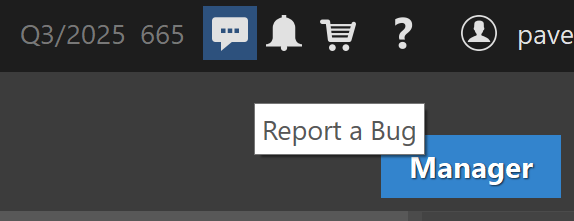
When there is no beta version available, Zoner Studio Beta version is the same as that of the public Zoner Studio. A bug report can be submitted via Report a bug in the top bar that will open a reporting form in a new tab of your browser.
- Your Zoner account (required)
- Bug name (required)
- Description and step-by-step workflow (required)
- System Information
- Printscreen, screen recording, sample files and other (recommended)
Please, submit one issue per report.
The form is submitted as a new task in the Asana project Zoner Studio Beta inbox. With all the information available in the task, it is passed on to our Development team in the internal thread, feedback will be shared in the task comment.
Follow up communication can be handled via the task comments directly in Asana or via the response to the task update email notification.
Tools
Screen Recording of the Program Window
Crash Dump File (if the program crashes)
Freeze Dump File (if the program freezes)
Process Monitor (if the program malfunctions)
Zoner Studio Connectivity Diagnostics
FAQs
What do I need to set up before I start beta testing?
Write to us at beta@zoner.cz so we can set up access to Zoner Studio Beta app, your Asana account and access into the Zoner Studio Beta inbox, then install the Zoner Studio Beta.
log in with your Zoner Account and read the instruction on How to report a bug?, get down to testing and bug reporting.
Can I install the Zoner Studio Beta alongside the Zoner Studio public version?
Yes.
Can Zoner Studio Beta destroy my photos?
It is highly unlikely, but our recommendation is to work with the backed up files.
How will I know that the is a new beta version available for testing?
Before a new beta version of major update (usually Spring – February, Autumn – August) is available, we will send you the list of changes that need to be tested via email. The beta version will then install automatically upon the Zoner Studio Beta start. The following betaversions will install automatically.
Can the feature requests be submitted too via the reporting form?
Yes, however, the beta version bugs will have priority.
What if there is no beta version available for testing?
When there is no beta version available, the Zoner Studio Beta version is the same as that of the current, public Zoner Studio.
For more information about the public versions and updates see Zoner Studio – information on updates.
Is there any reward for beta testing?
A special price for your next license renewal will be set up, we will get in touch with you via email.